Design flat and curved LED walls inside SketchUp with real cabinet data — dimensions, pixel pitch, weight, power draw and production BOM from 10 manufacturers.
One unified download — the free version is the complete plugin in Free mode. A PRO license key unlocks everything instantly.
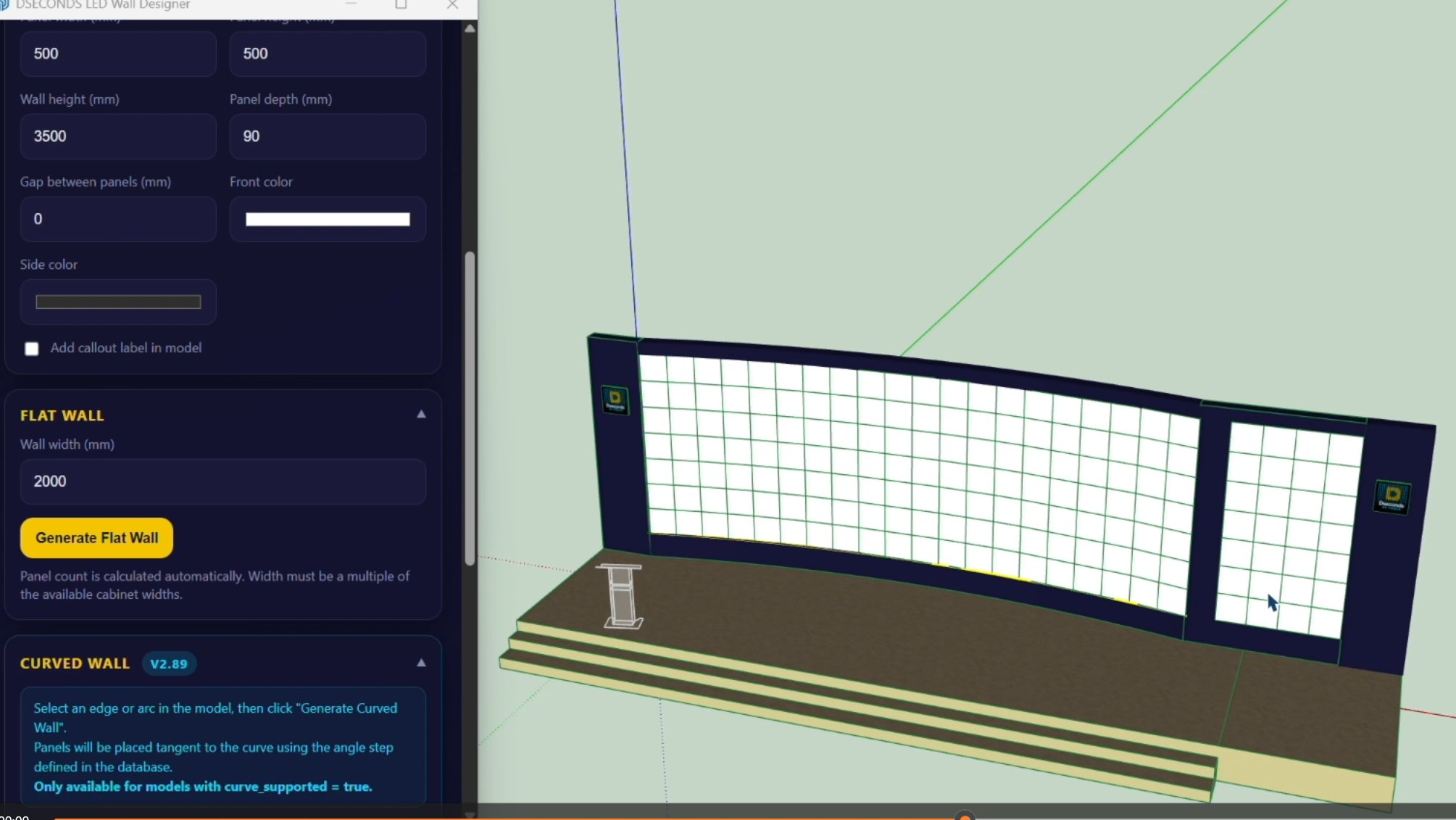
Select a product, set dimensions, click place. The plugin generates the full cabinet grid, calculates pixel count, power draw, weight and BOM automatically.
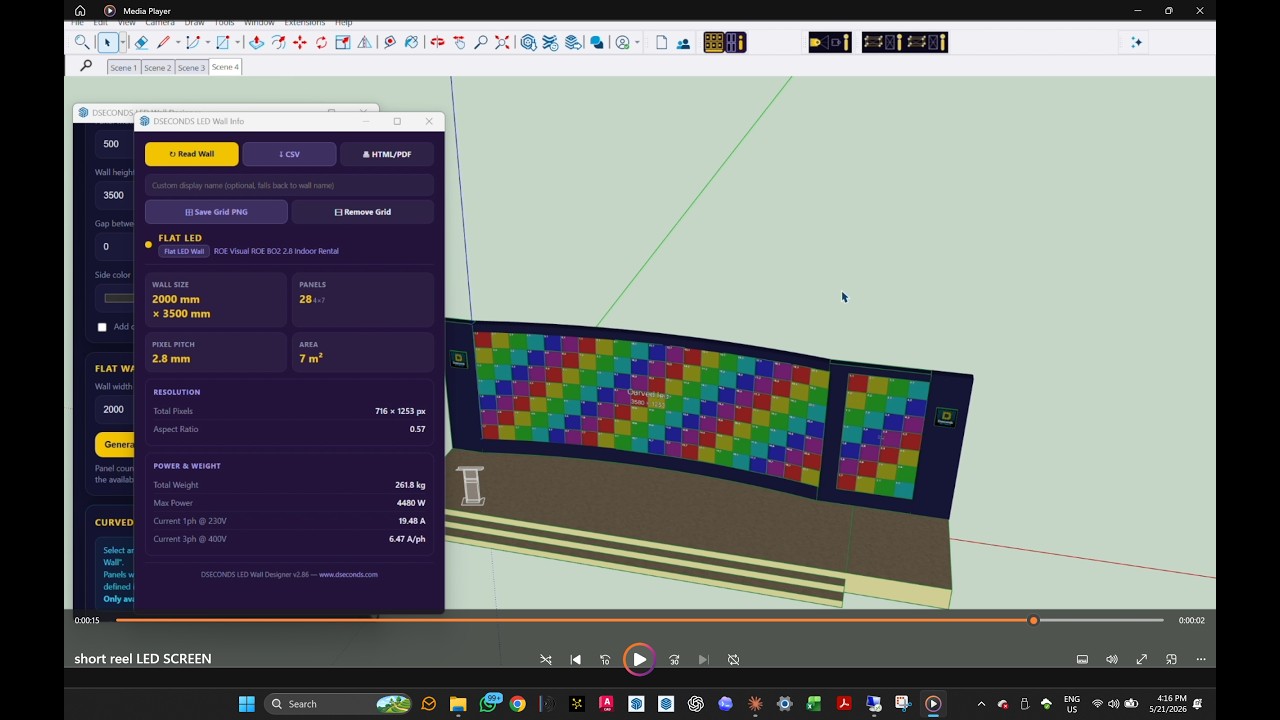
▶ Watch on YouTube — LED Wall Designer workflow overview
LED Wall Designer — flat and curved wall workflow
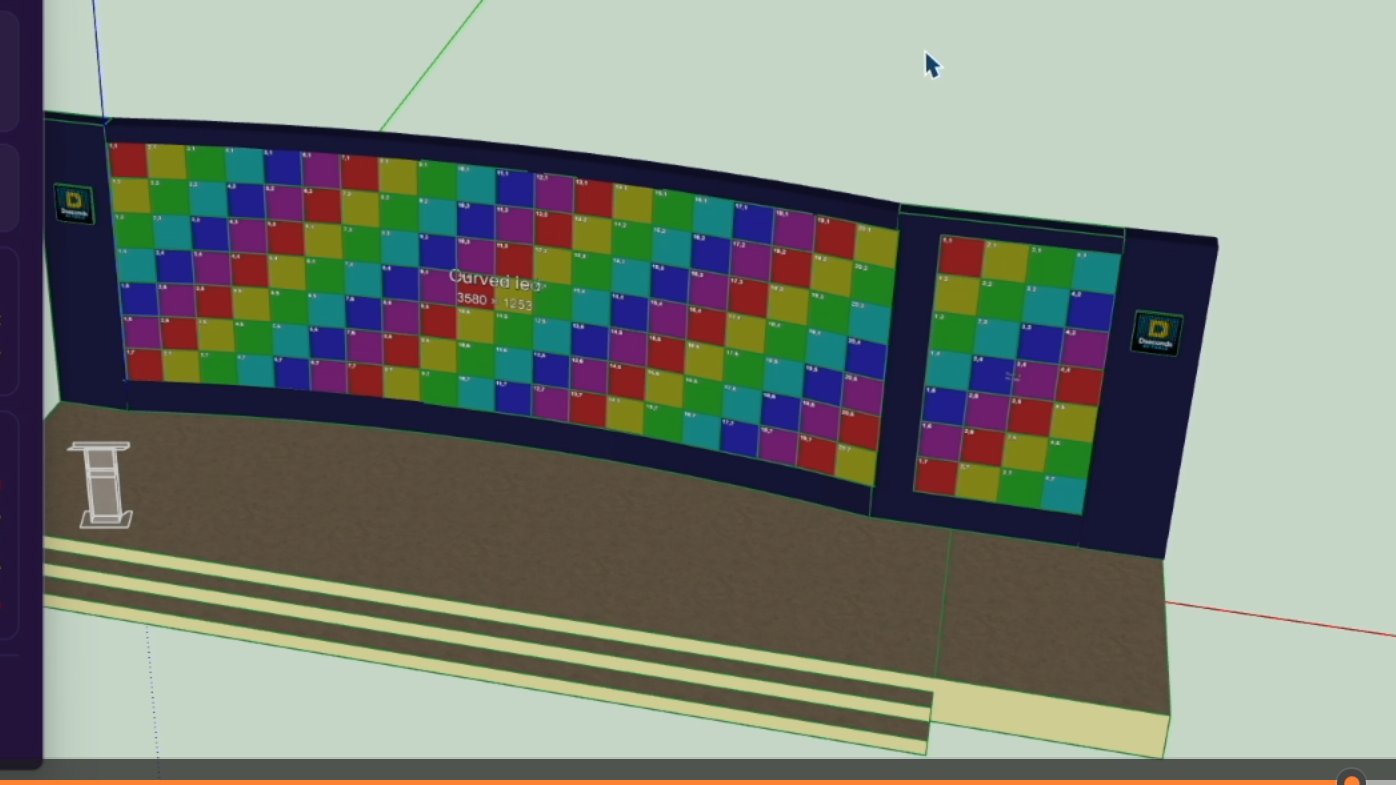
Generated on a custom arc — cabinets centred, gaps distributed evenly.
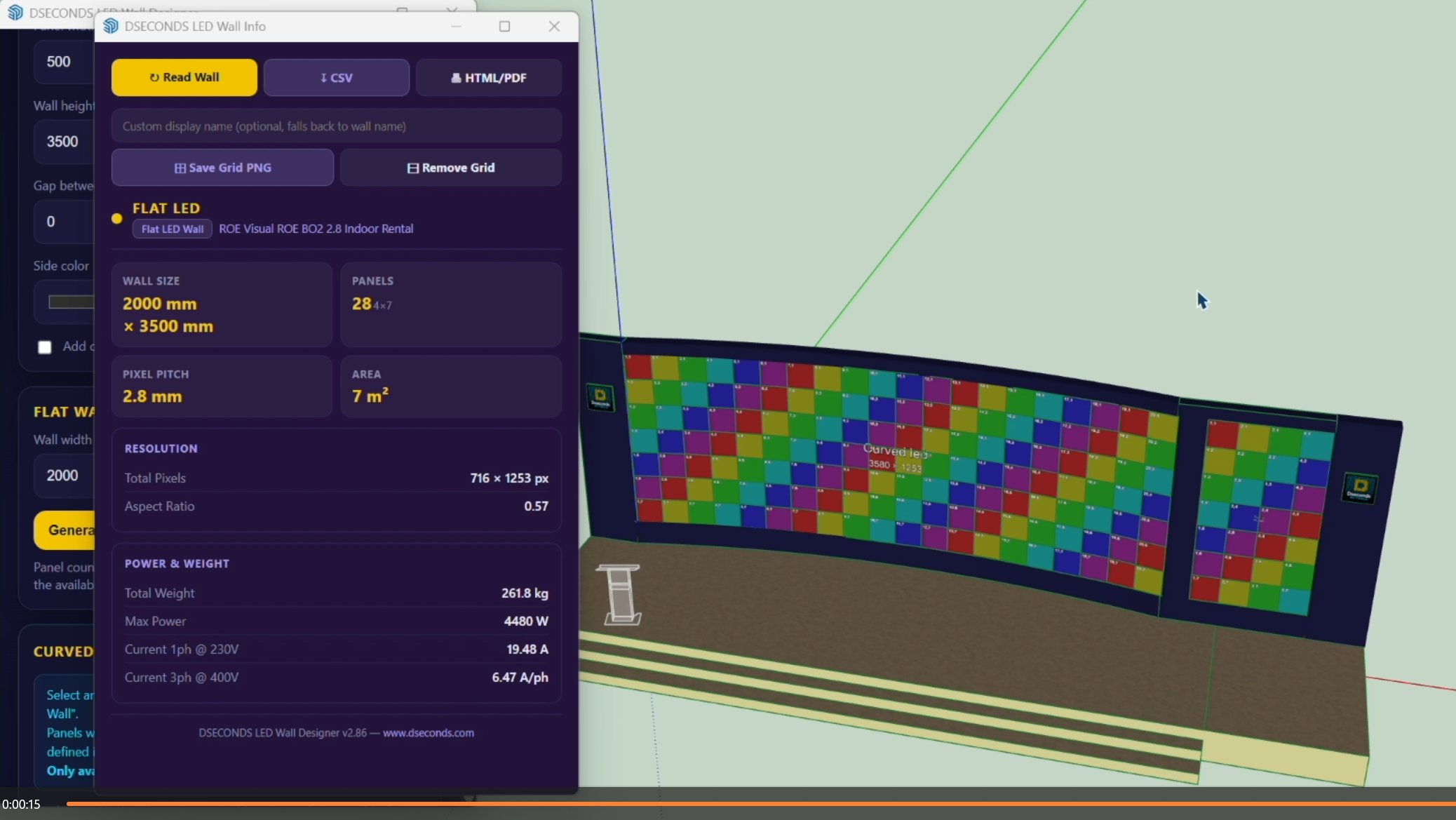
Wall size, panels, pixel pitch, resolution, weight 261.8 kg, power 4480 W, current draw.
Place flat LED walls from a snap point. The plugin builds left-to-right, bottom-to-top using real cabinet dimensions from the manufacturer database.
Draw any arc in SketchUp and the plugin tiles cabinets along it, centring the array and distributing gaps evenly on both sides.
Peak and average power draw, single-phase and three-phase current output. Essential for venue power planning before locking a product choice.
Total wall weight based on real manufacturer cabinet data. Required for rigging calculations and structural sign-off.
Bill of materials with panel count, total resolution, area, weight and power ready for rental or procurement orders.
40+ products from 10 manufacturers. Data sourced directly from manufacturer documentation — not approximations.
Auto-detects SketchUp model units. Toggle mm ↔ inches at any time. Internal calculations always in mm.
Each wall on its own named layer. Essential for multi-wall projects — always give each wall a unique name.
Free mode gives you the full workflow with a limited product selection — evaluate before committing. A valid PRO license key unlocks everything below, instantly.
| Feature | FREE | PRO |
|---|---|---|
| Flat wall generation | ✓ | ✓ |
| Curved wall generation | ✗ | ✓ |
| Product database | 2 products | 40+ products, 10 brands |
| Walls per file | 1 wall | Unlimited |
| Power & weight calculations | ✓ | ✓ |
| Production BOM export | ✗ | ✓ |
| Metric / Imperial toggle | ✓ | ✓ |
| Watermark on geometry | Yes | None |
Keep your Founder rate while your subscription remains active.
Founder pricing is available during the Founder launch period.
The Founder launch price is available only during the Founder launch period. Customers who subscribe at the Founder price keep that rate as long as their subscription remains active and renews without interruption. A future major update that introduces significant new features or capabilities may be offered under new pricing. Existing Founder customers will receive a dedicated transition offer or discount for that major update.
Get LED Wall Designer PRO — $99/yrYour Founder rate remains active while your subscription renews without interruption.
Payments via LemonSqueezy · VAT handled worldwide · License key delivered instantly by email
Prices shown exclude applicable VAT and taxes. Final taxes are calculated at checkout based on your billing location.
One download, one plugin. The free download is the complete plugin running in Free mode — a PRO license key unlocks the full feature set instantly, with no reinstall.
Get the plugin — one .rbz file, no credit card required.
Install via SketchUp Extensions → Extension Manager. No restart required.
Evaluate the full workflow in Free mode — no time limit.
Purchase your license through LemonSqueezy. The key arrives by email within minutes.
Open the plugin's License dialog in SketchUp and paste your key.
The full PRO feature set unlocks instantly — same install, same file.
Download the free plugin and evaluate the full workflow with a limited product selection. No time limit, no credit card. When you're ready, a PRO license key unlocks everything — no reinstall.
Install via SketchUp → Extensions → Extension Manager → Install Extension