Real manufacturer data. Live beam updates. Two-click placement for live events, concerts and corporate AV.
One unified download — the free version is the complete plugin running in Free mode. A PRO licence key unlocks everything instantly, with no reinstall.
$129/year
Founder price: $99/year
Founder launch price, available during the Founder launch period. Prices in US dollars (USD), excluding applicable VAT and taxes.
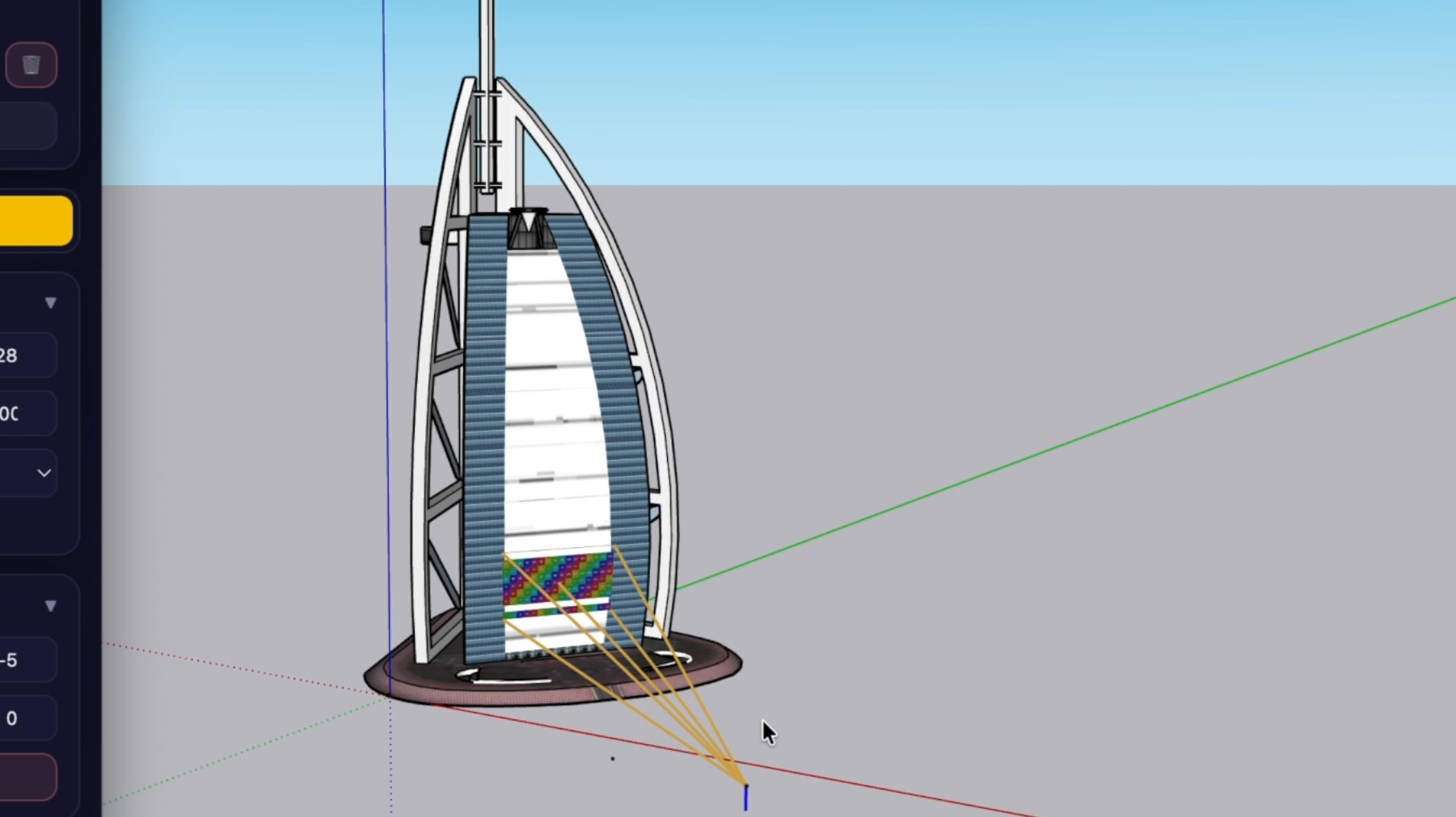
Open your scene, select projector and lens, click to place the lens position, click to set the target point on your surface. Projector Designer generates the 3D beam cone instantly — with real coverage data from the manufacturer database.
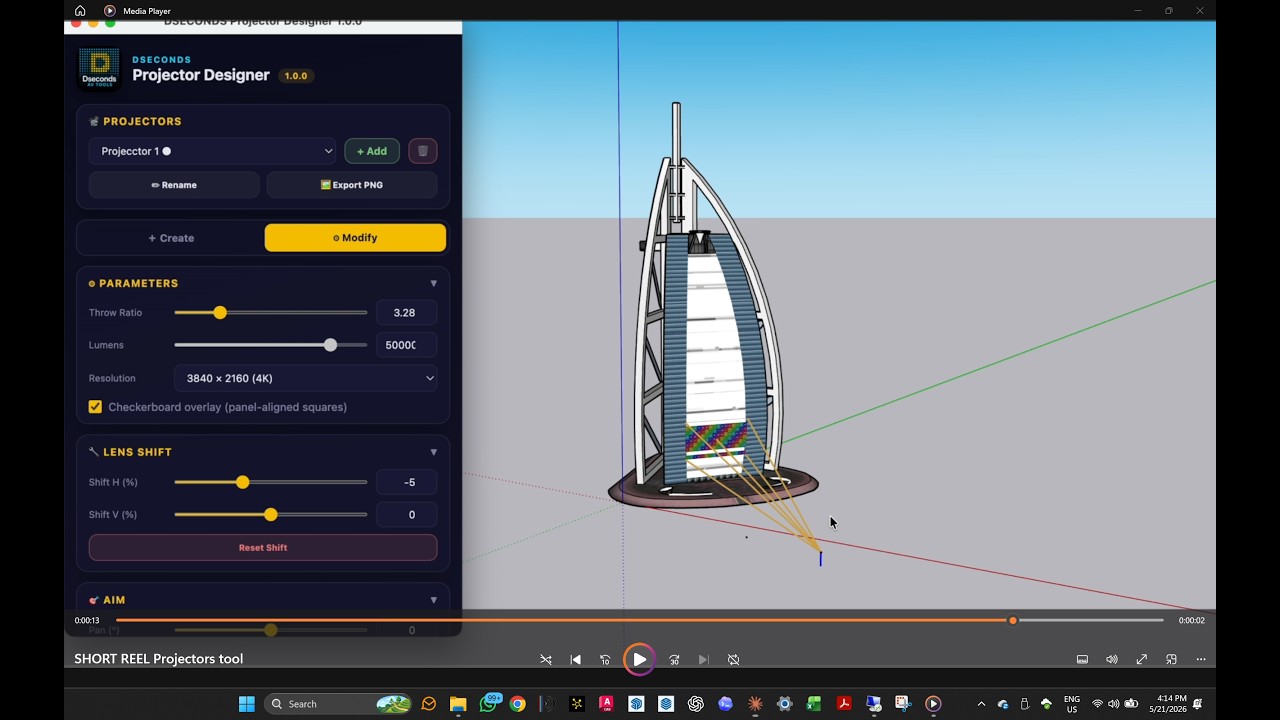
▶ Watch on YouTube — Projector Designer workflow overview
Projector Designer — two-click placement workflow (recorded with an earlier release; the workflow is unchanged in 1.3.4)
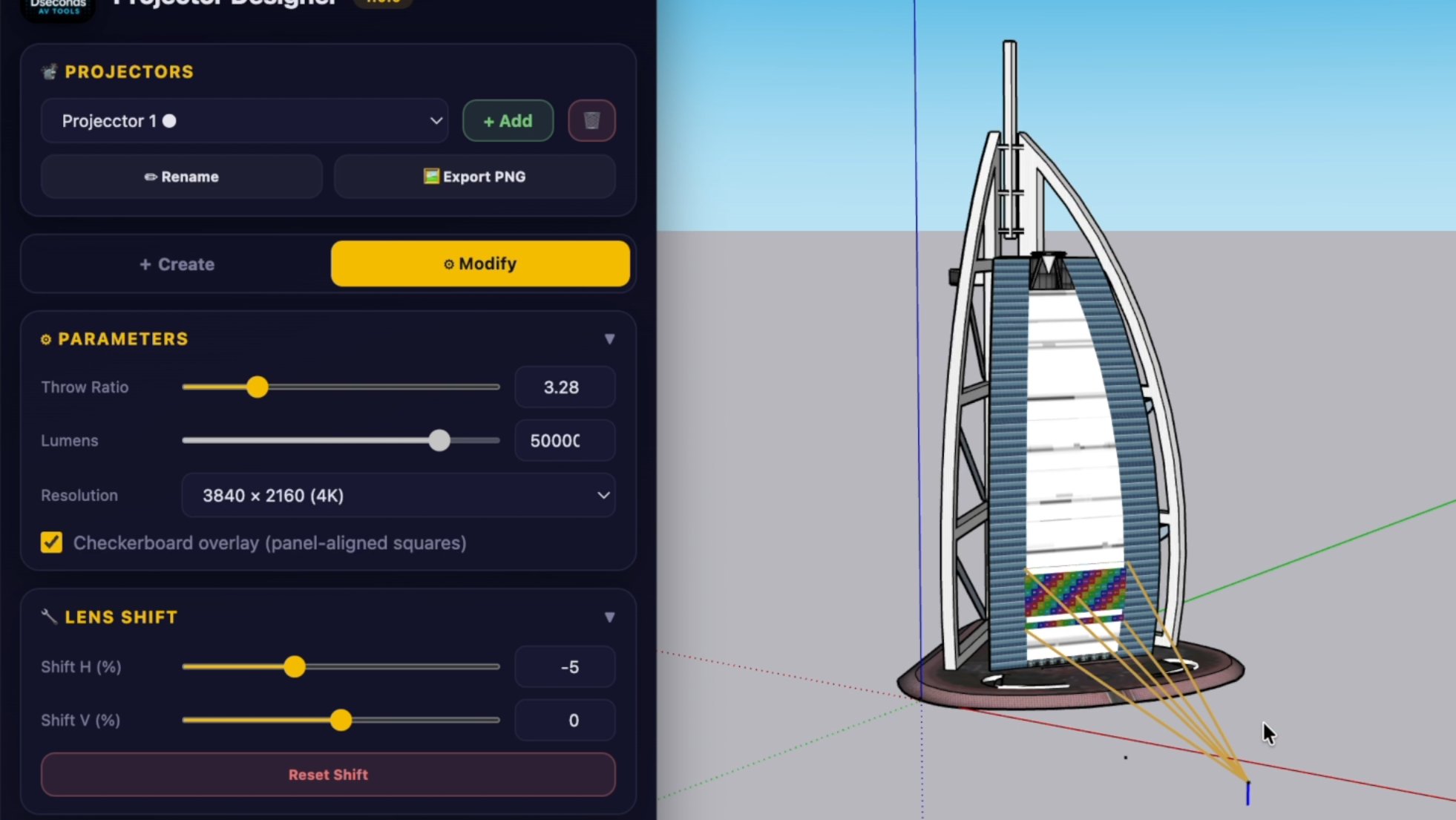
Choose brand, model and lens. Real throw ratio, lumens and lens shift data per lens.
Select a projector model and lens — Projector Designer loads the actual throw ratio range, zoom limits and lens shift factors for that specific combination. No manual entry, no approximations. The numbers you see are the numbers from the manufacturer.
Adjust position, aim or lens parameters and the projection geometry updates in real time. Pan, tilt, roll, offset — the beam cone recalculates as you work. Find the optimal placement interactively, not through trial and error.
Designed for the AVL workflow — concerts, corporate events, touring and fixed installation. Two-click placement, real specs, instant geometry. Everything you need to study a projection setup before setting foot on site.
First click places the lens position in the scene. Second click sets the target point on the projection surface. The beam cone generates immediately with real coverage data.
Throw ratio, zoom range and lens shift from manufacturer documentation — not approximations. Coverage is accurate to the specific lens you select.
Projector Designer shows real shift specs per lens. Rule: always use maximum lens shift before tilting the projector body — shift preserves keystone-free geometry, tilt does not.
Place unlimited projectors in the same SketchUp model with PRO — Free mode places one. Each projector keeps its own targeting, zoom, lens shift and resolution. Always name each projector uniquely before placing.
Weight, lumens, dimensions and lens data per projector unit. PRO adds a BOM and an HTML project report you can hand to production.
Structured product and lens data from Barco, Christie, Epson and Panasonic — 34 projector models and 107 lenses, each with its own throw, zoom and shift data.
Auto-detects SketchUp model units. Offsets and throw distances display in mm/m or ft/in according to your model settings.
Projector Designer combines real lens data with production-ready output — rare among SketchUp projection tools. Purpose-built for AV production workflows where accuracy matters.
The checkerboard grid now covers the whole image with short-throw lenses and large lens shifts, where it could previously shrink to a cross.
Projectors no longer project onto each other’s visualization geometry (checker, wireframe, cone lines). The physical bodies of other projectors still cast shadows.
Projection rays now originate at the lens, improving shadows of obstacles close to the projector and projection onto adjacent walls and surfaces.
Pan and tilt settings stay consistent after Undo/Redo and after reopening a saved model.
Pre-warp geometry. Projector Designer shows where each image lands after placement, zoom, lens shift, pan, tilt and roll — before any warping. Where images overlap, the grids of different projectors overlap and may look misaligned: that is expected. Warping, edge blending and final alignment are done in the projector or the media server, not in the plugin.
One download, one plugin. Free mode gives you the complete placement workflow on two catalogue models, so you can evaluate it properly before committing. A PRO licence key unlocks everything below, instantly and with no reinstall.
| Feature | FREE | PRO |
|---|---|---|
| Two-click projector placement | ✓ | ✓ |
| 3D beam cone visualisation | ✓ | ✓ |
| Manufacturer database | 2 models (Panasonic PT-RQ50K, PT-MZ20K) with their real lenses | 4 manufacturers, 34 models, 107 lenses |
| Projectors per SketchUp model | 1 | Unlimited |
| Real lens shift data | ✓ | ✓ |
| Real zoom range data | ✓ | ✓ |
| Aim, position and live metrics | ✓ | ✓ |
| Checkerboard grid overlay | Draft | Draft, Preview, Good |
| Technical data in the Info panel | ✓ | ✓ |
| Projectors saved in your SketchUp model | ✓ | ✓ |
| Metric / Imperial toggle | ✓ | ✓ |
| Custom projectors (hand-entered throw ratio, brightness, resolution) | — | ✓ |
| Native-resolution PNG test pattern export | — | ✓ |
| BOM and projector placement data | — | ✓ |
| HTML project report | — | ✓ |
| World-frame coordinates | — | ✓ |
| Client logo branding | — | ✓ |
Keep your Founder rate while your subscription remains active.
Founder pricing is available during the Founder launch period.
Get Projector Designer PRO — $99/yrPayments via LemonSqueezy · VAT handled worldwide · License key delivered instantly by email
The Founder launch price is available only during the Founder launch period. Prices are in US dollars (USD) and exclude applicable VAT and taxes. Final taxes are calculated at checkout based on your billing location.
One download, one plugin. The free download is the complete plugin running in Free mode — a PRO licence key unlocks the full feature set instantly, with no reinstall.
Download the 1.3.4 .rbz, then in SketchUp go to Extensions → Extension Manager → Install Extension and select the file. No restart is required.
Draw your projection surfaces, name the projector, pick brand → model → lens, then click to place the lens position and the target point. Adjust throw, lens shift, aim and position.
Free mode has no time limit. When you need more, click Get PRO and check out securely via LemonSqueezy. Your licence key arrives instantly by email.
In SketchUp open Extensions → Dseconds Projector Designer → License / Activation… (or the licence button at the top of the Designer), paste the key and click Activate. PRO unlocks in place.
Download the unified 1.3.4 release and evaluate the full two-click placement workflow in Free mode, with no time limit. A PRO licence key unlocks the full catalogue and unlimited projectors in the same installation.
Install via SketchUp → Extensions → Extension Manager → Install Extension